


Privacy Preferences
With these changes, we are creating a transparent, user-centric, and legally compliant foundation for data-driven features in the Shopware Administration. As we continue to expand analytics, machine learning, and other intelligent features, it is important that you can always understand what data is processed, for what purpose, and that you remain in full control at all times.
The revised consent workflow helps you manage your permissions in a GDPR-compliant way. You can define your preferences with a high level of granularity and adjust them at any time. At the same time, these settings allow us to continuously and responsibly improve usability, performance, and intelligent features based on anonymized interaction data.
Some current or upcoming data-driven features may require your consent to data analysis in order to be fully available.
Privacy settings
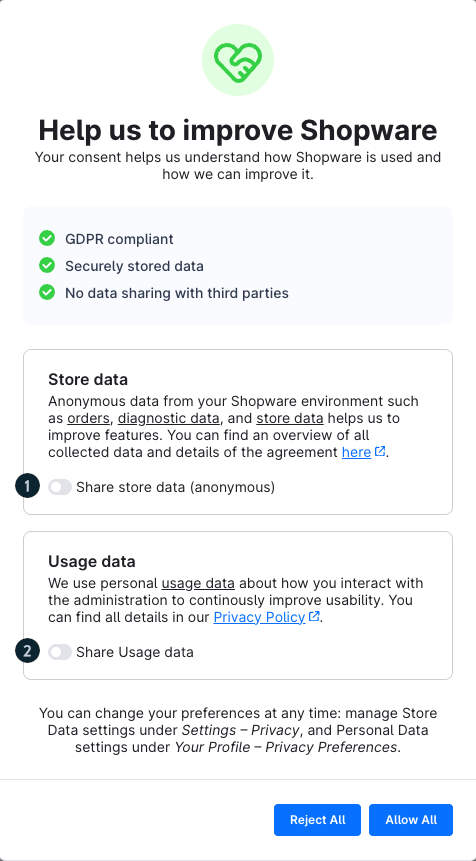
After logging in, a modal appears where you can define your privacy settings. Here, you decide whether and which data may be used to improve Shopware.
Overview
The modal informs you that your consent helps to further develop Shopware. It also highlights that:
data processing is GDPR-compliant,
data is stored securely,
no data is shared with third parties.
Settings options
You can enable or disable two types of data independently:
- Store data (anonymous): Here, you decide whether anonymized usage data from your Shopware environment may be shared. This includes, for example:
orders
diagnostic data
general store data
This data helps improve features and better understand system usage. You can enable this option via “Share store data (anonymous)” (1).
Usage data: Here, you decide whether Usage data related to your behavior in the Administration may be used. This data is used to further optimize usability. You can enable this option via “Share Usage data” (2).
Note: Only “Usage data” is available
If only the “Usage data” option is displayed in the modal, this may have two reasons:
- Consent for shop data has already been given by another admin.
- You do not have the required permissions to manage consent for shop data.
Make your selection
At the bottom of the modal, you have two options:
Reject all – no data will be shared.
Accept all – both data types will be enabled.
Alternatively, you can enable only one of the options and confirm your choice by clicking “Save selection”.
Change settings later
You can adjust your decision at any time:
- Store data: Settings > System > Privacy
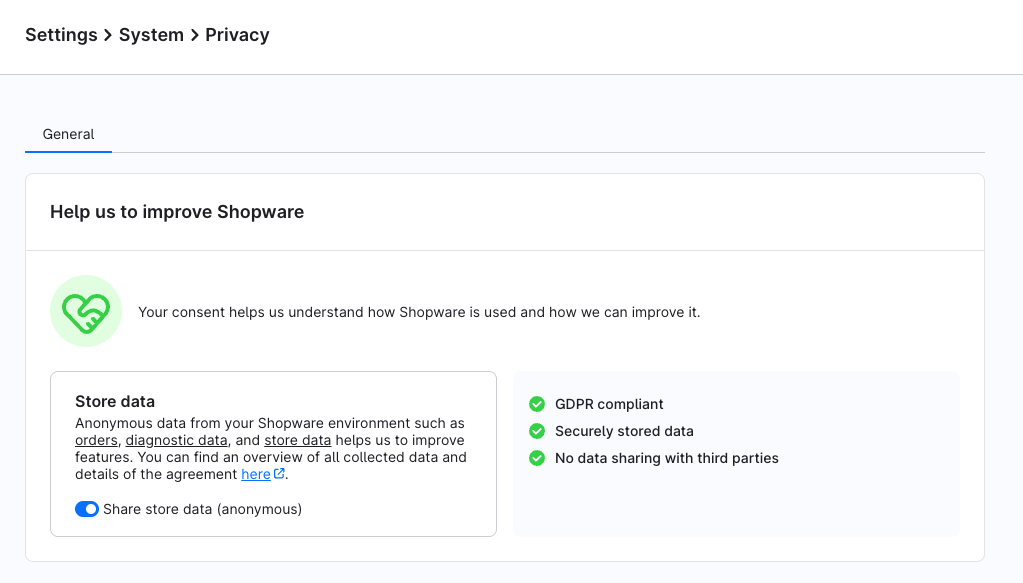
Use the “Share store data (anonymous)” toggle to enable or disable consent.
- Usage data:Your profile > Privacy settings
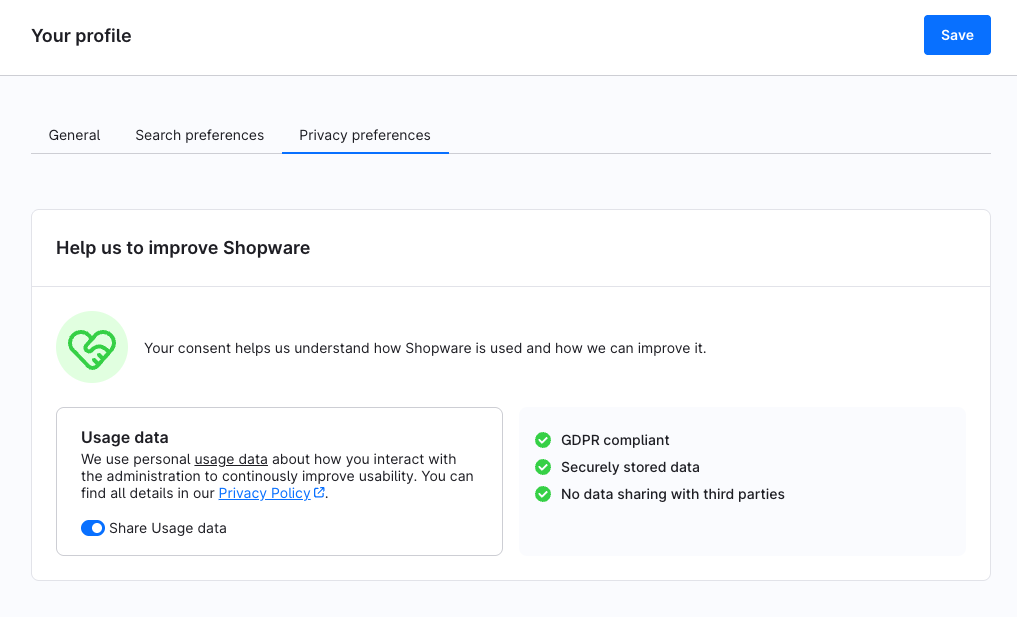
Use the “Share Usage data” toggle to enable or disable consent.
FAQ about store data and Usage data
What is the difference between store data and Usage data?
Store data refers to your shop as a whole, such as orders, products, or settings. This data is anonymized and does not allow any conclusions to be drawn about individual persons. Usage data, on the other hand, relates to your individual usage behavior in the Administration, such as which features you use or how you navigate through the system.
Does store data include personal information about me?
No. Store data is fully anonymized and does not contain any information that can identify you as a person.
What exactly is collected as Usage data?
Information is collected about how you use the Administration, such as clicks, features used, or navigation paths. Content such as entered data or sensitive information is not stored.
Why should I agree to share store data?
Store data helps improve Shopware overall, for example, through more stable features and better performance—without affecting your privacy.
Why should I agree to share Usage data?
Usage data helps improve the user interface and workflows based on actual usage by admin users.
Can I decide which data I want to share?
Yes. You can enable or disable store data and Usage data independently.
Can I change my decision later?
Yes. You can adjust your privacy settings at any time in the respective areas of the Administration.
Does my consent affect GMV tracking?
No. GMV tracking (Gross Merchandise Volume) is completely independent of your consent to data-driven features.
The collection of GMV data is a mandatory part of using Shopware and serves to implement the Fair Usage Policy (FUP). It is based on the contractually agreed terms of use and is not an optional feature.
GMV reporting applies to both users of the Community Edition and users of paid Shopware plans. Whilst the Community Edition requires an upgrade to a paid plan once GMV reaches €1 million, GMV forms the basis for price calculation and classification within the respective plan for existing plans.
Your decision in the consent dialog has no impact on this.
For more information, please refer to the current Terms & Conditions, the Fair Usage Policy, and the related blog article.