
Payment methods for several countries
Your cookie settings prevent us from loading YouTube. To display the video we'll need your consent.
If you have activated several countries in your shop, you can also offer different payment methods for each (invoice) country. This gives you the option of activating or blocking a payment method for one or more countries. You do not have to make this configuration for each country or each payment method individually. You can easily use the rule builder.
The prerequisite for using one or more of these rules are: Active payment types and active countries that have already been created.
Due to the EU-wide regulation on geoblocking, we recommend that you discuss your project with a legal advisor and have it checked once if you are in doubt about sales within the EU.
Step 1: Create a rule
Example 1: Payment method for UK only
You only want to offer the invoice payment method to customers whose billing address is in the United Kingdom. In this case the configuration looks like this:
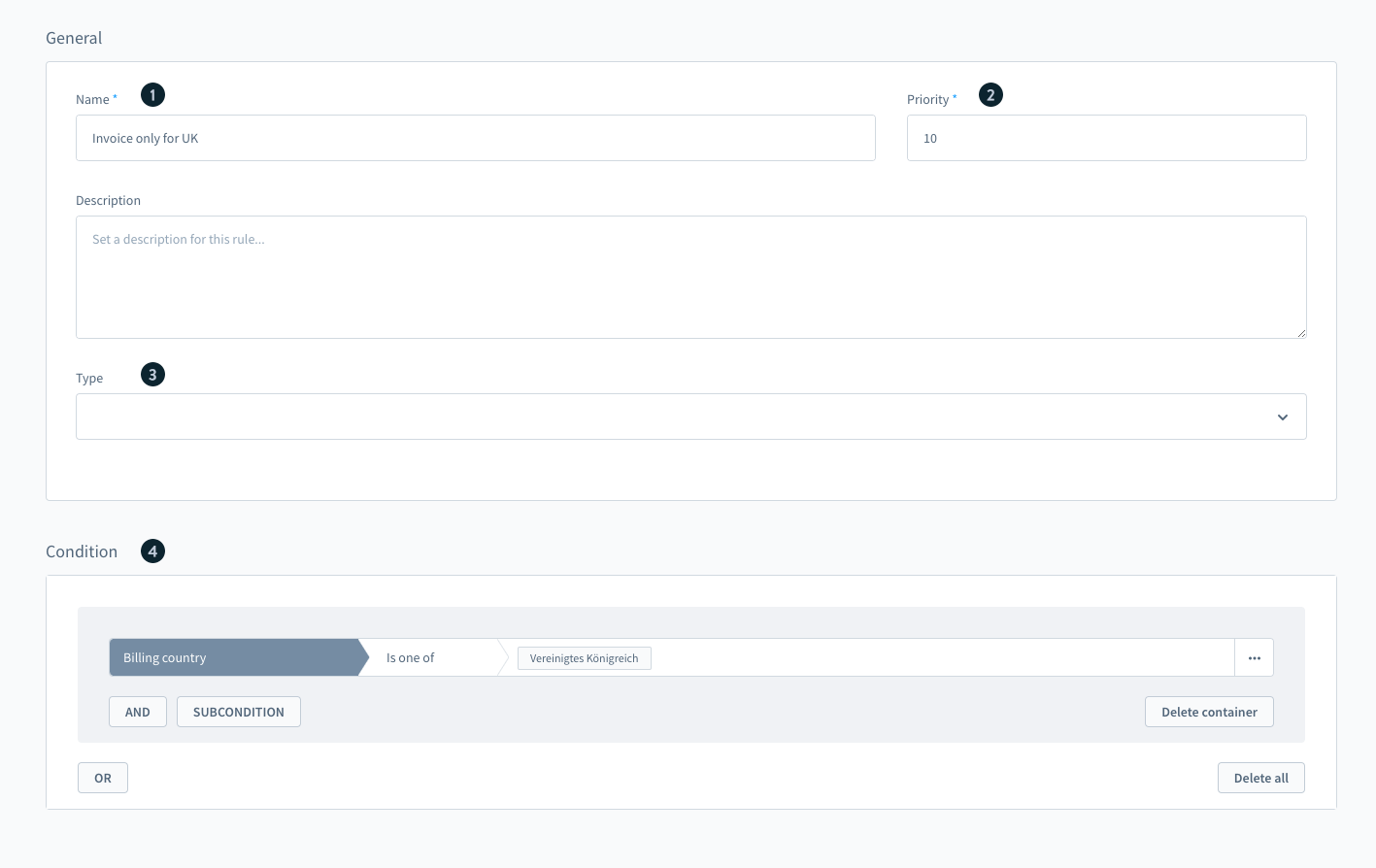
- Name: Invoice only for UK
- Priority: 1 (if you want a prioritization when using several shipping methods, please adjust the value accordingly)
- Type (optional): Payment type (if you want to use the rule in other areas as well, you can add other types or leave the selection blank)
- Conditions: billing country | Is one of | "United Kingdom"
Example 2: Payment method for all countries except UK
You can also go the other way around and exclude countries from the overall selection. For example, you could choose to have invoice available to everyone except for UK billing addresses.
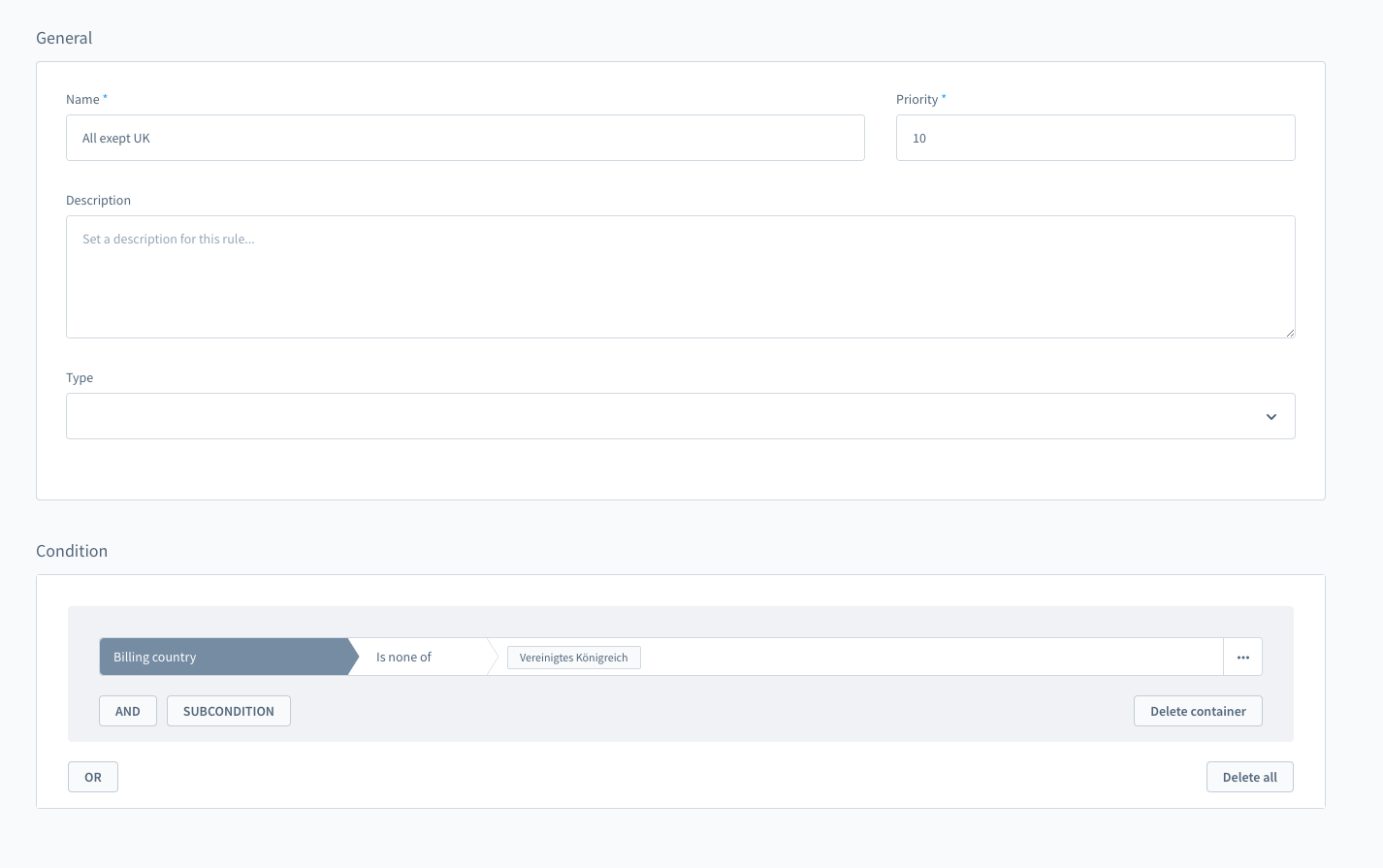
- Name: Invoice only for UK
- Priority: 1 (if you want a prioritization when using several shipping methods, please adjust the value accordingly)
- Type (optional): Payment type (if you want to use the rule in other areas as well, you can add other types or leave the selection blank)
- Conditions: billing country | Is none of | "United Kingdom"
Step 2: Store the rule in the payment method
To make the rule usable, you still have to specify the payment method for which this rule should apply. In this example it naturally makes sense to store the rule for the invoice payment method. Alternatively, you can also save this rule for any other payment method.
Availability rule: Select the previously created rule as the availability rule.
Step 3: View in the storefront
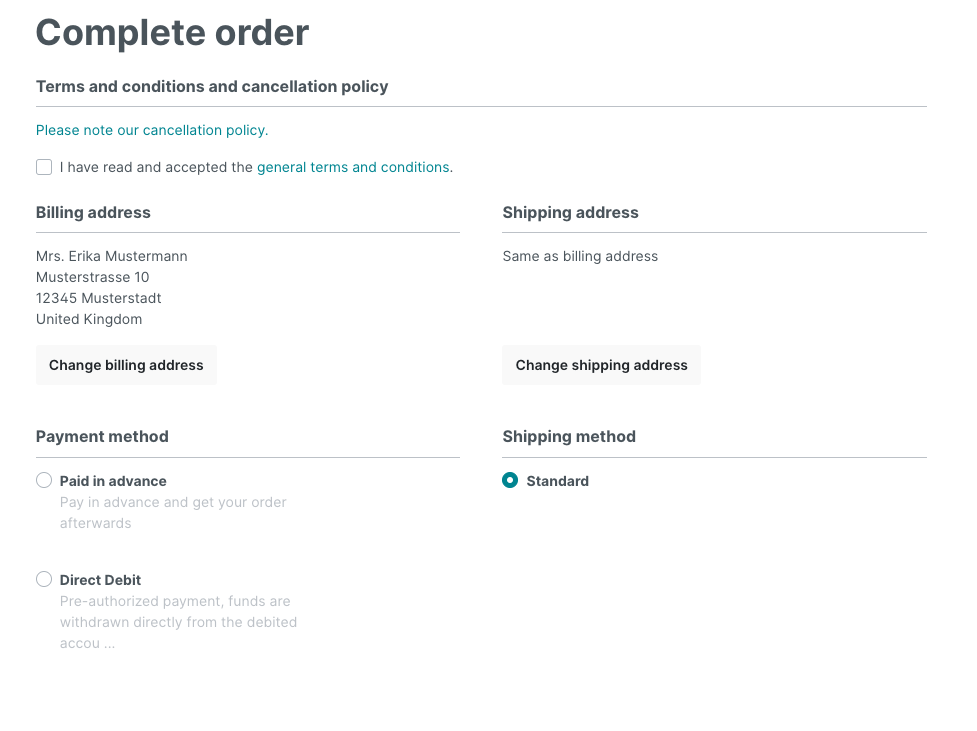
Example 1: Billing country | Is one of | United Kingdom
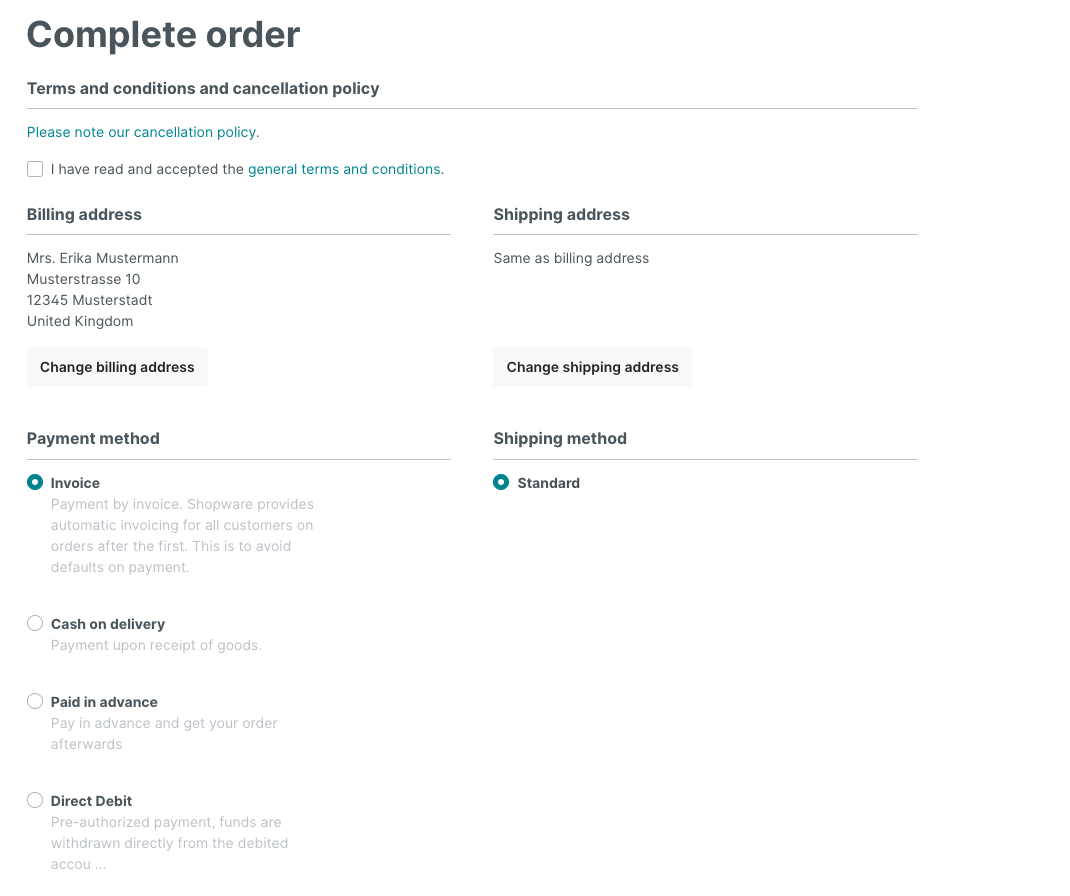
Example 2: Billing country | Is none of | United Kingdom